Top 10 Free Resume Builder Websites in 2026: Your Complete Guide
Best Resume Builder Websites You Can Use for Free in 2026

In the age of digital job hunting, a professional resume is your first key to unlocking career opportunities. But the question arises: how can you create an outstanding resume without spending money on professional designers?
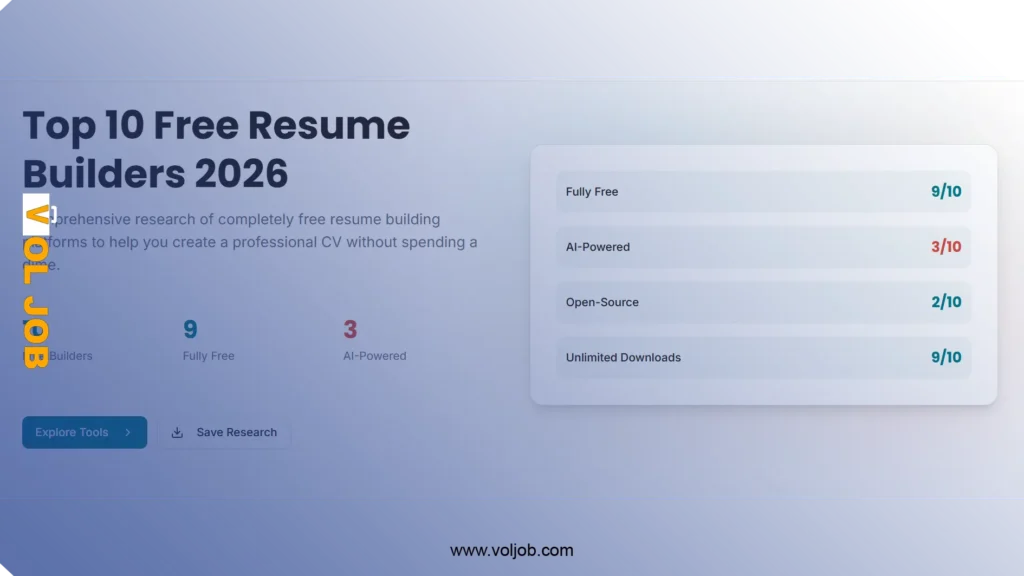
The answer is simple: use free online resume builder tools. In this comprehensive guide, we’ll review the top 10 completely free websites that help you create a professional resume that catches employers’ attention and increases your chances of landing your dream job.
Why Do You Need a Free Resume Builder?
Before we dive into our list, let’s understand the importance of using free resume builder tools:
- Save Time and Effort: Instead of starting from scratch, these tools provide ready-made templates that can be easily customized.
- ATS Compatibility: Most of these sites design resumes compatible with Applicant Tracking Systems.
- Professional Design: Get professional designs without needing graphic design skills.
- Completely Free: All websites on our list offer truly free options without hidden fees.
1. FlowCV – Most Generous Free Plan
Overview
FlowCV is a free resume builder helping people worldwide land jobs. What sets FlowCV apart is its generous free plan that doesn’t add watermarks to your resume.
Key Features
- Unlimited PDF downloads without watermarks
- Over 50 professional templates completely free
- ATS-compatible to ensure your resume reaches companies
- Complete privacy: GDPR compliant and doesn’t share your data
- Import from PDF or DOCX to easily convert your old resume
Why Does It Top the List?
Trusted by over 4 million job seekers worldwide, with a 4.9/5 rating, making it the optimal choice for job hunters.
Drawbacks
- To save multiple versions of your resume, you need to upgrade to the paid version.
Link: flowcv.com
2. OpenResume – Best for the American Market
Overview
OpenResume is a free and open-source resume builder that allows anyone to create a modern professional resume in 3 simple steps.
Key Features
- Specifically designed for the American market with best practices followed
- Completely open source – full transparency
- Complete privacy: All data is stored locally in your browser only
- Built-in resume analyzer to test ATS compatibility
- Real-time updates – see changes instantly as you type
Read Also: Carpenter Job Opening in Canada with LMIA – Competitive Salary and Comprehensive Benefits
Unique Feature
You can import an existing PDF resume to update its design to a modern professional design in seconds.
Drawbacks
- Focus on American market standards may not suit all markets.
Link: open-resume.com
3. Reactive Resume – Most Customizable
Overview
Reactive Resume is a free and open-source resume builder that simplifies the process of creating, updating, and sharing your resume.
Key Features
- Open source with MIT license
- Maximum privacy: No user tracking and no ads
- Drag-and-drop customization to arrange sections as you wish
- Multi-language support to create resumes in different languages
- OpenAI integration to improve your writing (optional)
Special Feature
You can self-host the platform in less than 30 seconds if you want to own your data completely.
Drawbacks
- The interface may seem complex for new users due to many options.
Link: rxresu.me
4. Jobscan – Optimal for ATS Systems
Overview
Jobscan offers a completely free resume builder with tools and templates to easily create a professional ATS-compatible resume.
Key Features
- Advanced keyword analysis to match your resume with the job
- 9 expertly designed templates ATS-compatible
- Unlimited downloads without hidden fees
- Customized skill suggestions based on target job
- Built-in resume scanner
What Sets It Apart?
88% of employers report rejecting qualified candidates because their resumes weren’t optimized for ATS systems – this is where Jobscan comes in.
Drawbacks
- Primary focus on ATS compatibility may limit design creativity.
Link: jobscan.co/resume-builder
5. Canva – Best for Creative Designs
Overview
Canva lets you create professional resumes for free using fully editable templates you can download and share in minutes.
Key Features
- Hundreds of free templates with modern and attractive designs
- Drag-and-drop design tools easy to use
- Add graphics and shapes for a creative touch
- Export in multiple formats: PDF, JPEG, PNG
- Direct sharing via email or viewable link
Target Audience
Ideal for designers, creatives, and marketers who want a distinctive visual resume.
Drawbacks
- Some creative designs may not be compatible with strict ATS systems.
Link: canva.com/resumes
6. Rezi – AI-Powered
Overview
Trusted by over 4 million job seekers, recognized as the best resume builder in 2025 by Forbes.
Key Features
- AI resume writer generates professional bullet points in seconds
- Rezi Score system from 1-100 to measure your resume quality
- Automatic keyword targeting based on the job
- Real-time content analysis to detect errors
- Multiple professional templates ATS-compatible
Free Plan
Allows you to create one resume with limited AI features and 3 PDF downloads.
Drawbacks
- Most powerful AI features require paid subscription.
Link: rezi.ai
7. Resume.com – Ease and Speed
Overview
Create a professional resume in minutes using our 100% free builder, with access to over 100 templates and AI-powered writing assistance.
Key Features
- 100% free with no restrictions on basic use
- Over 100 resume templates for inspiration
- AI writing assistant to improve content
- Easy to use even for beginners
- Quick save and export for immediate application
Special Feature
Provides direct connection to millions of jobs for quick applications.
Drawbacks
- Some advanced templates may be paid.
Link: resume.com
8. CVlogin – German Simplicity
Overview
Create your resume online for free, choose from modern templates and create a professional resume in minutes – easy, fast, and free.
Key Features
- Simple and clear interface for quick use
- Modern templates with clean designs
- No login required to start
- Instant updates to preview changes
- Free PDF download
Target Audience
Ideal for those seeking a simple tool without complications.
Drawbacks
- Limited customization options compared to competitors.
Link: cvlogin.com
9. Seirah – First Arabic Option
Overview
Create a professional multilingual resume in minutes, print, publish, or send your resume directly to companies – all for free.
Key Features
- Full Arabic language support with Arabic interface
- Create resume in just 2 minutes
- Multi-language support to write your resume in several languages
- Password protection for your resume
- Unique sharing link to send your resume online
- Easy updates without rewriting everything
What Sets It Apart?
You can write your resume in any number of languages, and it appears to the employer in all selected languages.
Drawbacks
- Limited number of templates compared to global platforms.
Link: seirah.com
10. Kickresume – Comprehensive for Students
Overview
Online resume and cover letter builder used by 8 million job seekers worldwide, with professional templates approved by specialists.
Key Features
- GPT-4 powered resume writer for automatic content generation
- Over 35 professional templates carefully designed
- Free personal website builder to turn your resume into a website
- Free for students and teachers for 180 days
- ATS compatibility check to ensure your resume suitability
Unique Feature
Kickresume has helped over 2 million people get jobs at global companies like Google, SpaceX, and Apple.
Drawbacks
- Free version limited to only 4 basic templates.
Link: kickresume.com
Golden Tips for Creating a Successful Resume
Regardless of which platform you choose, here are essential tips to ensure your resume’s success:
1. ATS Compatibility
- Use simple and clean fonts (Arial, Calibri)
- Avoid images and complex tables
- Use standard section headers (Experience, Education, Skills)
2. Customize for Each Job
- Read the job description carefully
- Use the same keywords from the job posting
- Highlight the most relevant experiences
3. Achievements Instead of Tasks
- Use measurable numbers and statistics
- Bad example: “Responsible for sales”
- Good example: “Increased sales by 40% within 6 months”
Read Also: Best 10 Trusted Remote Job Websites That Pay in US Dollars From Any Country
4. Appropriate Length
- One page for experience less than 10 years
- Two pages for those with extensive experience
5. Review and Proofread
- Proofread for grammar and spelling
- Ask a friend to review your resume
- Use spell-checking tools
Quick Platform Comparison
| Platform | Free Downloads | Free Templates | Arabic Support | ATS Compatible | AI |
|---|---|---|---|---|---|
| FlowCV | Unlimited | 50+ | Limited | ✅ | ⚠️ Paid |
| OpenResume | Unlimited | 1 | ❌ | ✅ | ❌ |
| Reactive Resume | Unlimited | Multiple | ✅ | ✅ | ⚠️ Optional |
| Jobscan | Unlimited | 9 | ❌ | ✅✅ | ✅ |
| Canva | Unlimited | Hundreds | Limited | ⚠️ | ⚠️ Paid |
| Rezi | 3 only | 4 | ❌ | ✅ | ⚠️ Limited |
| Resume.com | Unlimited | 100+ | Limited | ✅ | ✅ |
| CVlogin | Unlimited | Limited | ❌ | ✅ | ❌ |
| Seirah | Unlimited | Limited | ✅✅ | ✅ | ❌ |
| Kickresume | ⚠️ Limited | 4 free | ❌ | ✅ | ✅ |
Frequently Asked Questions (FAQ)
Are the mentioned websites really free?
Yes, all websites offer truly free plans that allow you to create and download your resume without paying. Some offer additional paid features, but the basics are completely free.
What is ATS and why should I care about it?
Applicant Tracking Systems (ATS) are software used by companies to automatically filter resumes. If your resume isn’t compatible, it may be rejected before anyone sees it.
Which website is best for beginners?
FlowCV and Resume.com are easiest for beginners thanks to their simple interfaces and clear guidance.
Can I edit my resume after downloading?
Most websites allow you to save your resume and return to edit it anytime. You can also download editable Word format copies on some platforms.
What’s the best website for the Arab market?
Seirah is the best because it’s specifically designed for Arab users, with full Arabic language support and formatting options suitable for the Arab market.
Choose the Right Website for You
There’s no single “best” website for everyone – the choice depends on your specific needs:
- For ease of use seekers: FlowCV or Resume.com
- For privacy and open-source enthusiasts: OpenResume or Reactive Resume
- For designers and creatives: Canva
- For job seekers in America: OpenResume or Jobscan
- For Arabic users: Seirah
- For students: Kickresume (free for 180 days)
- For AI lovers: Rezi or Jobscan
Remember that a great resume is one that clearly and professionally reflects your personality and experiences. Use the right tools, but don’t forget that content is king!
Was this article helpful? Share it with your job-seeking friends to help them create professional resumes for free!